Contents

用 GitHub Actions 自动部署 Hugo(VPS)
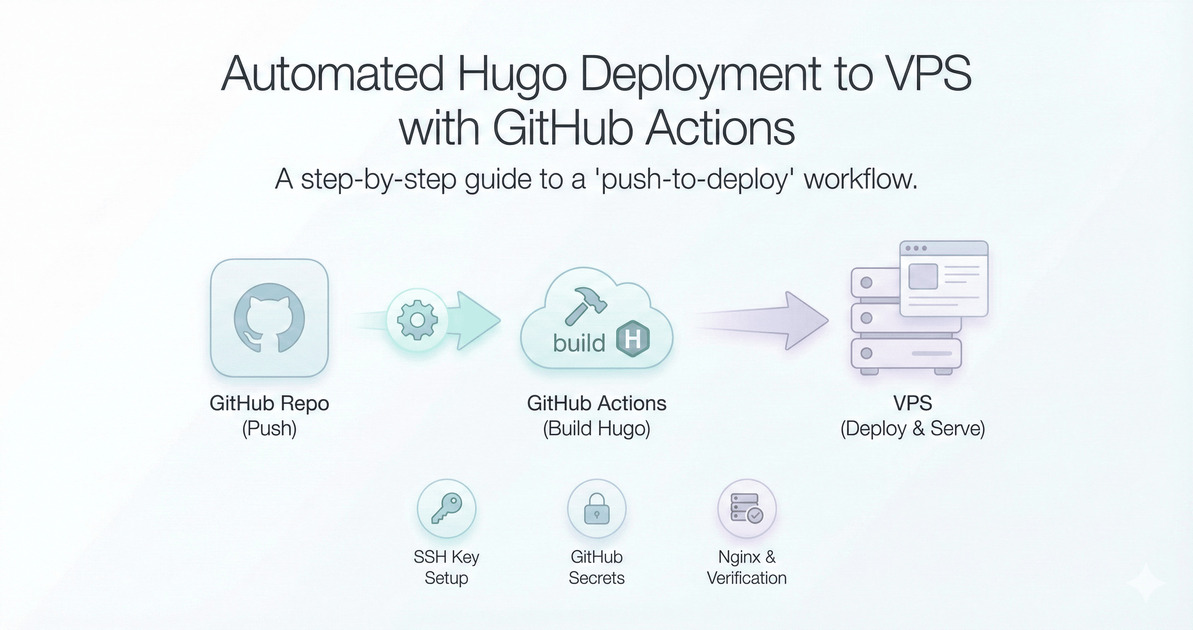
从 0 到 1 配置 GitHub Actions,自动构建 Hugo 并发布到 VPS。

前言

把 Hugo 站点交给 GitHub Actions 进行构建与部署,可以实现「写完推送即发布」。本文以 VPS 为目标部署环境,介绍完整流程与常见问题排查。

1. 快速开始

1.1 VPS 静态目录

将站点部署目录设置为 /var/www/neonflow/,Nginx 仅监听本机端口(如 1313),由 Nginx Proxy Manager 反代。

1
2
root /var/www/neonflow;
listen 0.0.0.0:1313;

1.2 生成部署专用 SSH Key

在 VPS(root)上生成专用 key,并加入 authorized_keys

1
2
3
4
sudo -i
ssh-keygen -t ed25519 -C "github-actions-deploy" -f /root/.ssh/deploy_key -N ""
cat /root/.ssh/deploy_key.pub >> /root/.ssh/authorized_keys
chmod 600 /root/.ssh/authorized_keys

/root/.ssh/deploy_key 私钥保存,用于 GitHub Secrets。

1.3 配置 GitHub Secrets

在仓库 Settings → Secrets and variables → Actions 添加:

  • VPS_HOST:VPS IP/域名
  • VPS_USER:root
  • VPS_SSH_PORT:22
  • VPS_SSH_KEY:部署私钥全文

2. GitHub Actions 工作流

在仓库创建 .github/workflows/deploy.yml

 1
 2
 3
 4
 5
 6
 7
 8
 9
10
11
12
13
14
15
16
17
18
19
20
21
22
23
24
25
26
27
name: Deploy Hugo to VPS
on:
  push:
    branches: [ main ]

jobs:
  deploy:
    runs-on: ubuntu-latest
    steps:
      - uses: actions/checkout@v4
      - name: Setup Hugo
        uses: peaceiris/actions-hugo@v3
        with:
          hugo-version: '0.152.2'
          extended: true
      - name: Build
        run: hugo --minify
      - name: Deploy via rsync
        uses: burnett01/rsync-deployments@7.0.1
        with:
          switches: -avzr --delete
          path: public/
          remote_path: /var/www/neonflow/
          remote_host: ${{ secrets.VPS_HOST }}
          remote_user: ${{ secrets.VPS_USER }}
          remote_key: ${{ secrets.VPS_SSH_KEY }}
          remote_port: ${{ secrets.VPS_SSH_PORT }}

3. 发布与验证

推送到 main 后,Actions 会自动构建并同步到 VPS。验证源站:

1
curl -I http://127.0.0.1:1313

域名访问成功即表示部署完成。

4. 常见问题

  • 502:反代目标 IP/端口不可达,容器内需能访问宿主机端口。
  • 403root 目录错误或权限不足。
  • 未更新:检查 Secrets 与 remote_path 设置。

5. Nginx Proxy Manager(NPM)常见坑与解决

5.1 端口 80 被占用导致 Nginx 启动失败

现象bind() to 0.0.0.0:80 failed (98: Address already in use)
原因:NPM 使用容器占用了 80/443。
解决:源站 Nginx 只监听本机端口(如 1313/8080),不要监听 80/443。

1
2
3
4
5
6
server {
  listen 127.0.0.1:1313;
  root /var/www/neonflow;
  index index.html;
  location / { try_files $uri $uri/ =404; }
}

5.2 NPM 反代 502(容器访问不到宿主机)

现象:域名访问 502,但本机 curl http://127.0.0.1:1313 正常。
原因:在容器里 127.0.0.1 指向容器自身。
解决:NPM 的 Forward Host/IP 改为宿主机网桥 IP(常见 172.17.0.1),并确保源站监听 0.0.0.0:1313 或内网 IP。

容器内验证:

1
docker exec -it npm-app-1 curl -I http://172.17.0.1:1313

5.3 403 Forbidden(目录无 index)

现象directory index of "/var/www/neonflow/" is forbidden
原因root 指向目录但找不到 index.html,或权限不足。
解决:确认 root 指向 Hugo 生成目录,并修正权限。

1
2
3
4
ls -l /var/www/neonflow/index.html
sudo chown -R www-data:www-data /var/www/neonflow
sudo find /var/www/neonflow -type d -exec chmod 755 {} \;
sudo find /var/www/neonflow -type f -exec chmod 644 {} \;